


Avanquest AMS GardenBox 3D GOLD for Windows (Download)
Avanquest GardenBox 3D GOLD – Windows Landscape Layout and Garden Design Software
Avanquest GardenBox 3D GOLD is a dedicated Windows system utility designed to transform raw property dimensions into polished, three-dimensional backyard and terrain presentation models without requiring extensive drafting experience. This practical software tool provides an efficient solution for university botany departments, school district facilities management offices, and student landscape design labs needing to construct accurate outdoor remodeling layouts, seasonal growth simulations, and digital portfolio layout archives cleanly. By compiling structural components in real time on an optimized rendering workspace, this utility allows instructors and students to build custom property terrain shapes, experiment with variable lighting conditions, and manage physical object arrangements that basic vector drawing tools leave unmapped. This direct space staging setup eliminates layout friction, protecting layout projects and keeping local creative content production moving forward fluidly.
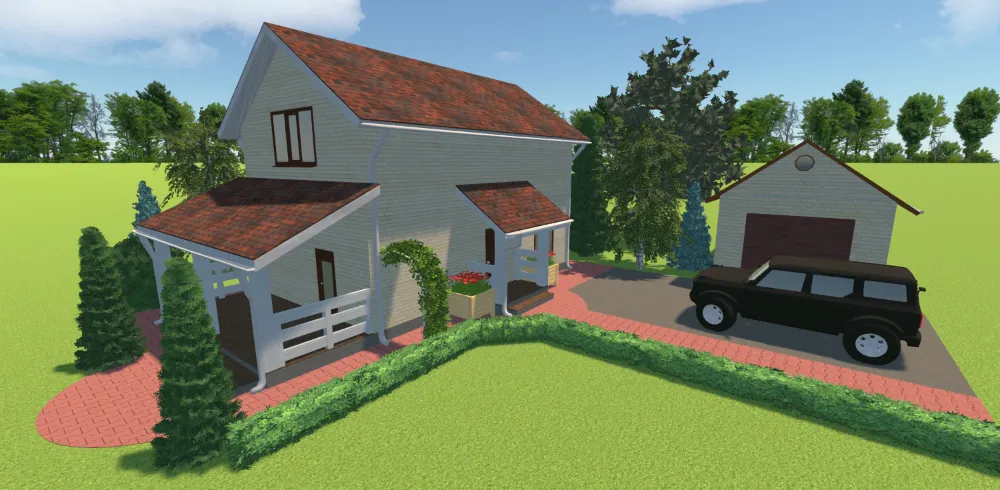
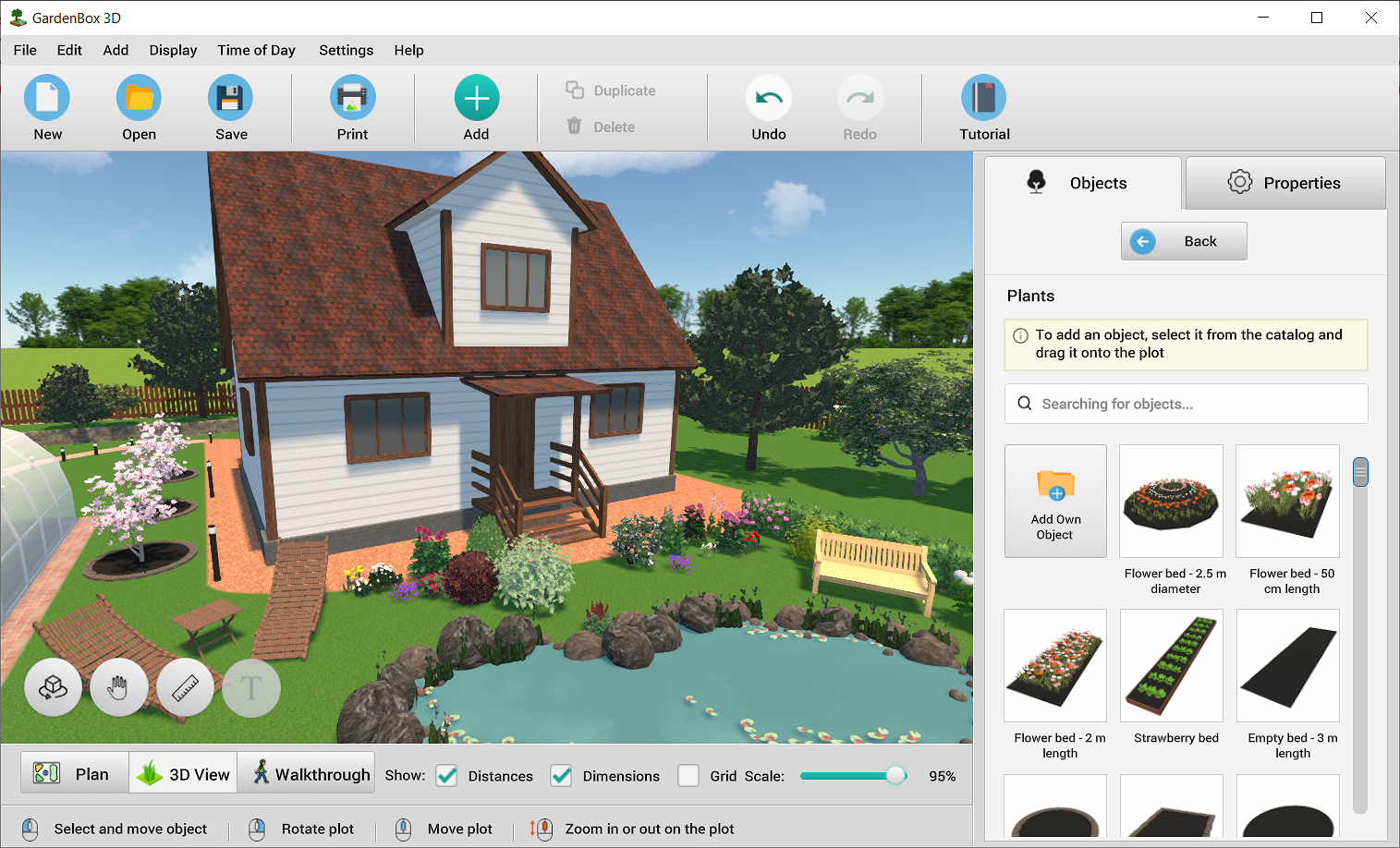
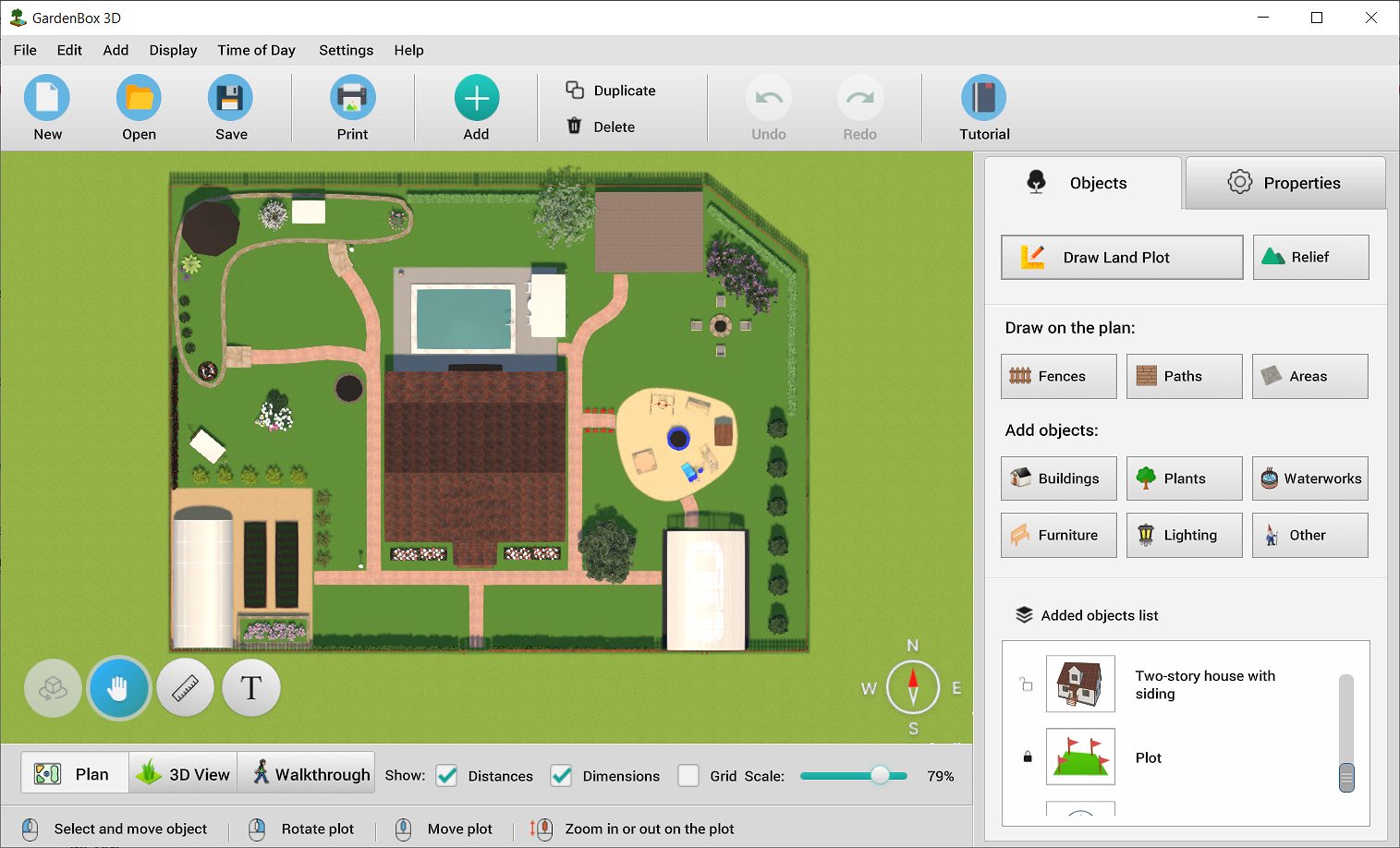
Avanquest GardenBox 3D GOLD is a dedicated Windows system utility designed to transform raw property dimensions into polished, three-dimensional backyard and terrain presentation models without requiring extensive drafting experience. This practical software tool provides an efficient solution for university botany departments, school district facilities management offices, and student landscape design labs needing to construct accurate outdoor remodeling layouts, seasonal growth simulations, and digital portfolio layout archives cleanly. By compiling structural components in real time on an optimized rendering workspace, this utility allows instructors and students to build custom property terrain shapes, experiment with variable lighting conditions, and manage physical object arrangements that basic vector drawing tools leave unmapped. This direct space staging setup eliminates layout friction, protecting layout projects and keeping local creative content production moving forward fluidly.
By combining an intuitive drag-and-drop landscape creator with advanced 3D perspective visualization effects, this utility simplifies complex outdoor modeling tasks. Users can easily position fences, decks, and patios, apply pre-loaded stone and soil finishes, and view planted layouts instantly across their local system profiles. When a project rendering task is launched, the optimized software engine checks the output format criteria, manages hardware multi-core processing priority layers cleanly, and exports the final high-definition visual image or virtual walkthrough file without causing interface lag loops in your other active programs. This straightforward workflow makes it easy to preserve legacy facility records, build professional student portfolios, and distribute landscape architecture files across school networks at full efficiency.
3D terrain mapping, plant configuration, and multi-user project staging are managed through a centralized dashboard layout that provides immediate access to all architectural modules. This background utility core monitors object alignment variables, tracks perspective viewing angles, and passes rendering commands directly to the operating system kernel with complete stability. This setup allows technical teams, network administrators, and classroom operators to preview media compression values, apply real-world lighting shadows, and convert virtual layouts into standard JPEG, PNG, or printable blueprint formats instantly. The lightweight digital software footprint installs quickly onto standard desktop computers or laptop drives, ensuring your creative file staging and terrain preservation tasks are straightforward and reliable.
Key Features include:- 🔌 Native Windows 10 & 11 Environment Optimization: Advanced software architecture engineered to operate flawlessly as a native layout compilation utility across your campus computing networks.
- 🧱 Interactive Drag-and-Drop 2D & 3D Landscape Modeling: High-utility design workspace designed to let operators draw exact site plans in 2D and instantly toggle into a full-scale 3D virtual walkthrough cleanly.
- 🌲 Massive Plant, Tree, and Outdoor Furniture Library: Comprehensive built-in repository pre-loaded with diverse botanical assets, structural fences, decks, swimming pools, and lighting fixtures ready for immediate project expansion.
- 🎨 Dynamic Material, Color, and Texture Customization: Advanced surface editor calibrated to map realistic stone pavers, grass variants, mulch beds, and custom paint color fields effortlessly.
- ☀️ Real-Time Seasonal Growth and Lighting Simulation: Specialized illumination and growth module engineered to calculate daytime sunshine paths, seasonal plant development states, and realistic shadows to generate true visual depth fluidly.
- 📐 Precise Metric & Imperial Measurement Snapping: Advanced alignment panel designed to ensure blueprint accuracy by snapping structural boundaries directly to exact landscape scaling dimensions cleanly.
- 🖥️ Custom Multi-Tab Status Dashboard Layout: High-resolution central management screen custom-calibrated to deliver immediate object coordinates, lot dimensions, and rendering progress reports clearly.
- 🌐 Multi-Format Virtual Image Export Engine: High-overhead conversion terminal configured to export finished projects into high-definition web, mobile printable plans, or standalone panoramic files cleanly.
Specifications:
| Specification | Details |
|---|---|
| Brand | Avanquest (AMS Software Division) |
| Model / SKU Configuration | GardenBox 3D GOLD / SKU: 11565-E / Digital Download Tier |
| Device Classification | Digital 3D Landscape Layout Creator, Outdoor Space Modeler, and Blueprint Software Utility Application |
| Core Curricular Domain | Landscape Architecture / Agricultural CAD Staging / Space Planning / Engineering Blueprint Management |
| Supported Operating Systems | Microsoft Windows 11, Windows 10, Windows 8, and Windows 7 (64-Bit / 32-Bit Environments) |
| Available Interface Ports | None (Intangible cloud-delivered digital license matching natively onto host Windows computing nodes or local media folders) |
| Fulfillment Management | Instantaneous Post-Checkout Avanquest Activation Portal Digital License Delivery Link Code |
| Compliance Vetting | RoHS Material Compliant / CE Certified / Multi-Core CPU Rendering Vetted Standard Criteria |
💡 PRO TIP #1: ACCELERATE 3D WALKTHROUGHS VIA ERGONOMIC CAD CONTROLLERS! 💡
Checking the factory packaging reveals that while this premium landscape design software delivers an extensive collection of 3D terrain objects and material textures, external physical input hardware is entirely left out of the digital download file directory. Attempting to rotate property coordinates, adjust cameras, or navigate complex exterior layouts standalone using a basic, standard office mouse limits your layout fluidness. To establish an uncompromised, professional-grade staging setup right from installation hour, we highly recommend matching your order with a 3Dconnexion SpaceMouse Professional CAD Controller. Connecting a dedicated multi-axis controller cap allows you to smoothly pan, zoom, and fly through your virtual 3D yard builds concurrently with one hand while effortlessly modifying botanical assets with the other hand, maximizing your spatial design layout efficiency.
💡 PRO TIP #2: EXPORT AND TRANSPORT DESIGN PROJECTS VIA HIGH-CAPACITY FLASH DRIVES! 💡
Unboxing this downloadable landscape modeling software reveals a vast library of furnished outdoor assets, but a physical backup storage option or mobile transport tool is completely missing from your download directory. Exporting detailed 3D panoramas, uncompressed walkthrough video sequences, or heavy high-resolution blueprints creates massive file sizes that are far too large to distribute via email attachments or standard messaging channels. To bypass online cloud data limits and immediately share your finished site plans, outdoor design portfolios, or facility expansion layouts with absolute security, we highly recommend adding a Premium High-Capacity USB Flash Drive to your checkout basket. Fastening a high-velocity physical memory drive allows you to save and transport your complex architectural renderings seamlessly to any standard laptop, desktop terminal, or widescreen presentation kiosk without relying on unstable internet lines.


)