


Nitro PDF with AI Tools for Mac/iOS/Windows Subscription for Schools (Download)
Eligibility: Students & Faculty/Staff
The PDF Editor with Advanced Features!
Easily edit, convert, sign, annotate, OCR, secure, and protect your documents, streamlining document workflows and allowing you to focus on what matters.
Nitro PDF is a full-featured PDF editor and is recognized as the strongest alternative to Adobe Acrobat. It's simple to purchase, easy to implement, and straightforward to use. Plus, we offer a wide range of service and support resources to ensure the success of every customer. That’s why millions of users around the world trust Nitro as their PDF editing solution of choice.
Features include:
- Trusted Security: Security and compliance are top priorities at Nitro. Through their compliance program, they have obtained internationally recognized certifications for our products, such as Soc 2, HIPAA, QTSP, ISO 27001, and more.
- Intuitive Ease of Use: Nitro’s user-friendly PDF editor allows for fast user adoption. Nitro PDF seamlessly mirrors the Microsoft Office ribbon UI (Windows) and Apple's toolbar (Mac), providing an intuitive experience for users across different operating systems.
- Dedicated Support: Get the help you need, when you need it. From setup assistance and change management to major troubleshooting and support, Nitro's expert customer support team prioritizes your success every step of the way.
- Productivity and Efficiency: Nitro PDF simplifies and accelerates your document workflows, enabling you to accomplish more in less time. Automate repetitive tasks and seamlessly collaborate across teams and departments.
- Transformation with AI: Nitro’s AI tools boost productivity with intelligent, secure solutions. Smart Redact automatically detects and removes sensitive information from PDFs, while AI-powered assistants help you summarize and extract data.
Highlights:
Edit PDFs with Precision
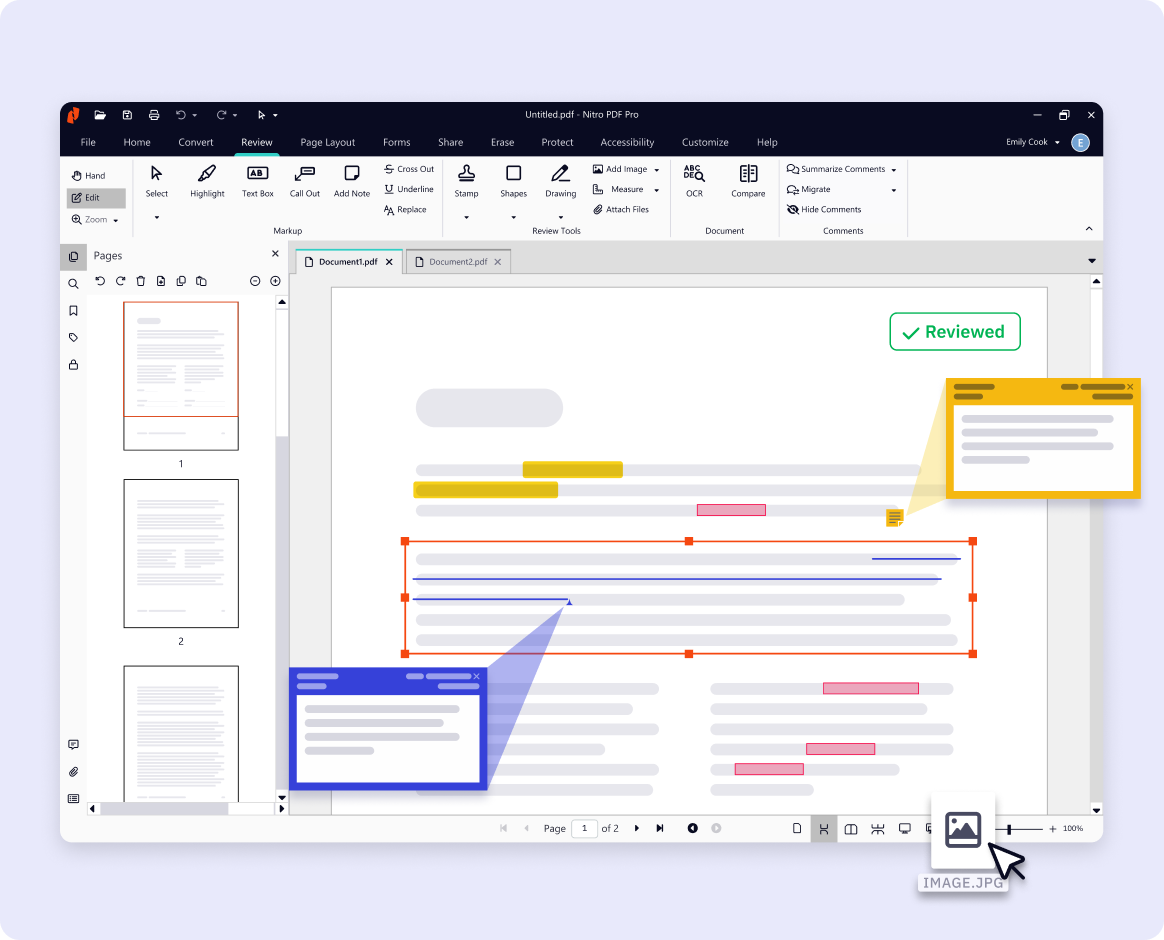
Make changes directly to your PDFs with ease. Update text, swap or resize images, add annotations, and fill forms without having to switch back to the original file. Nitro PDF gives you the flexibility to keep documents accurate and up to date.
Seamlessly Covert and Organize PDFs
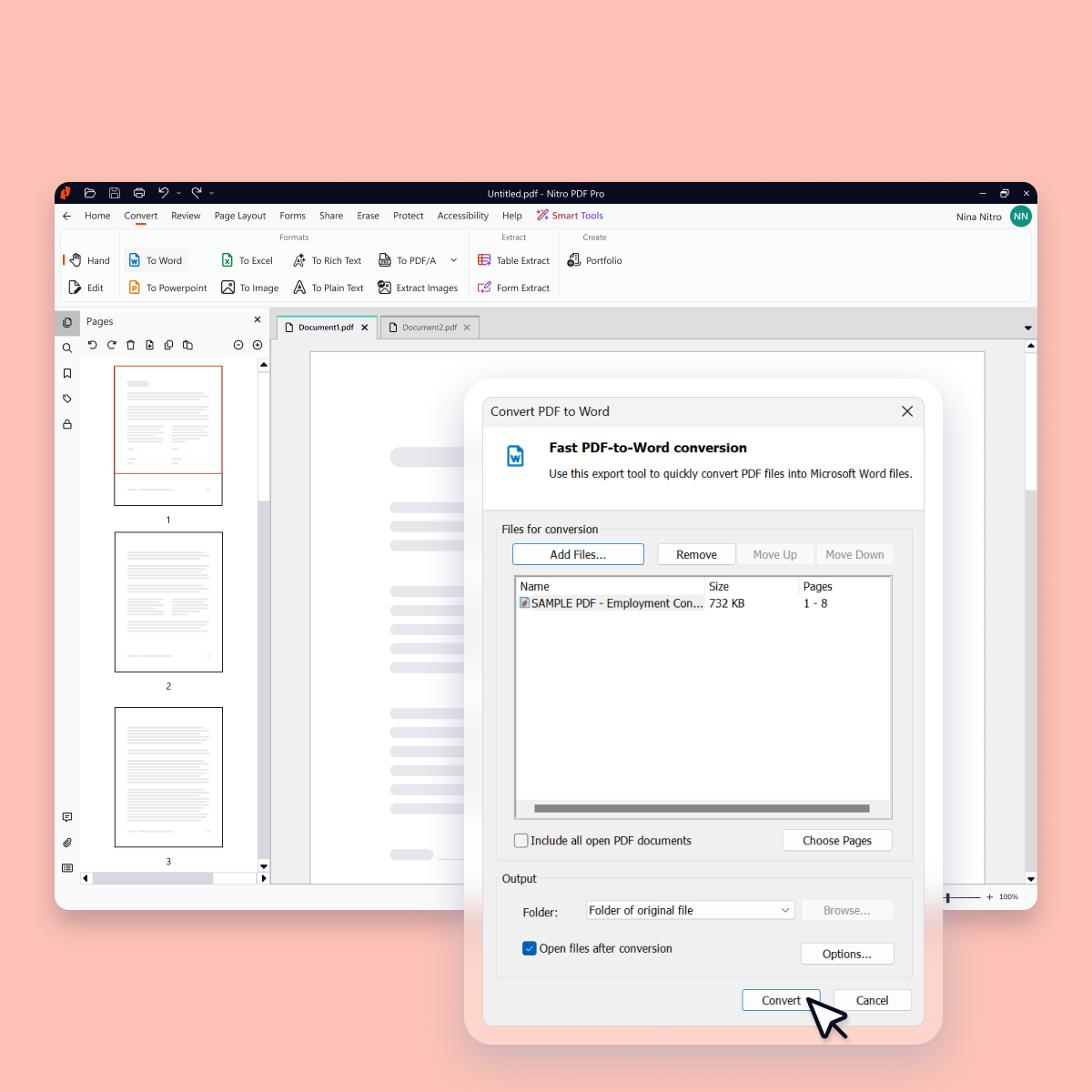
Quickly convert PDFs to and from popular formats like Word, Excel, PowerPoint, and image files while preserving layout and quality. Merge multiple PDFs, split files into smaller documents, or reorder pages so your files are always organized the way you need.
Secure Sensitive Data with Smart Redact
Smart Redact automatically identifies 30+ types of sensitive information, from names and addresses to credit cards and health data. Review AI suggestions, make manual adjustments, and permanently remove all sensitive content—including metadata and scripts—for safer, faster redaction.
Safely Share and Collaborate on PDFs
Work better together with built-in collaboration tools. Add comments, highlight sections, and share feedback in real time, whether your team is across the office or across the world. Nitro PDF simplifies collaboration while keeping your documents protected.
Boost Productivity with Nitro AI
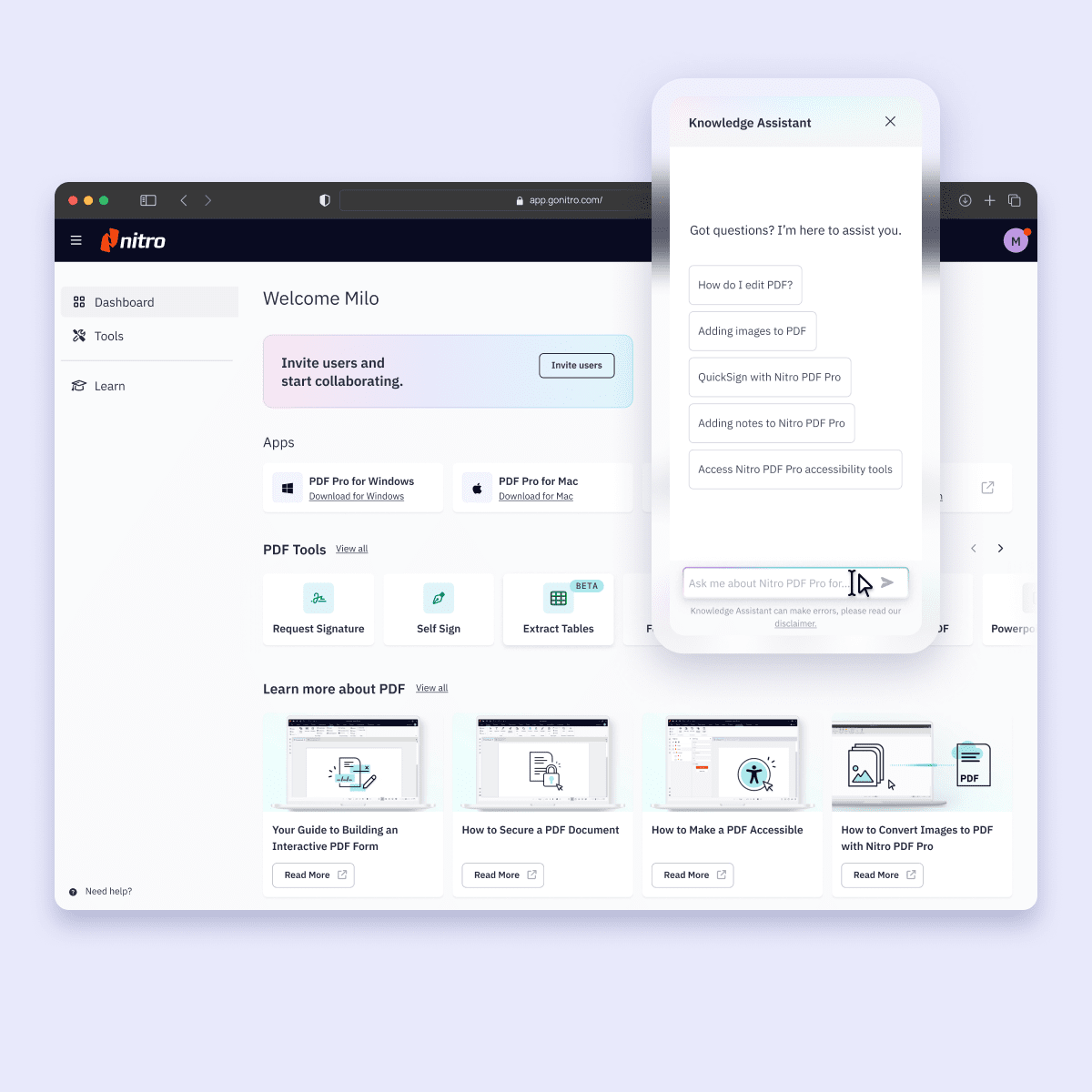
Generate summaries, ask questions in multiple languages, and easily extract table and form data with Nitro’s AI beta tools.
System Requirements:
Mac
- Operating system: macOS 10.14 (Mojave) or later
- Processor: Intel 64-bit, Apple M1 or later
- RAM: 1GB
- Available hard disk space: up to 2GB
- Display screen resolution: at least 1280x800 for a 13.3" laptop
iOS:
- Operating system: iPadOS 15 or later
iPhone:
- Operating system: iOS 15 or later
Windows:
- Operating system: Windows 11 or Windows 10
- Servers: Microsoft Windows Server 2016 and 2019
- Processor: 1.5 GHz or faster
- RAM: 1GB
- Available hard disk space: 4.5GB
- Display screen resolution: 1024x768
- Microsoft Office integrated features: MS Office 2013 (32bit or 64bit), MS Office 2016 (32bit or 64bit), Microsoft Office 2019 (32bit or 64bit)
- Microsoft Edge WebView2 (Installer)
- Video hardware acceleration (optional)
- Latest Microsoft Visual C++ Redistributable (Installer)


)